What is rcrisp?
rcrisp automates the morphological delineation of
riverside urban areas following a method developed by Forgaci (2018, pp.
88–89). It overcomes the challenge of arbitrary urban river
corridor delineation by providing a reliable workflow to produce
morphologically grounded spatial analytical units.
Such spatial units enable integrated local analyses (many different layers within one case) and large-scale cross-case analyses (many cases using comparable spatial units) in a wide range of domains of application, such as urban planning, environmental management, public space design, and disaster risk reduction.
Why is consistent delineation important?
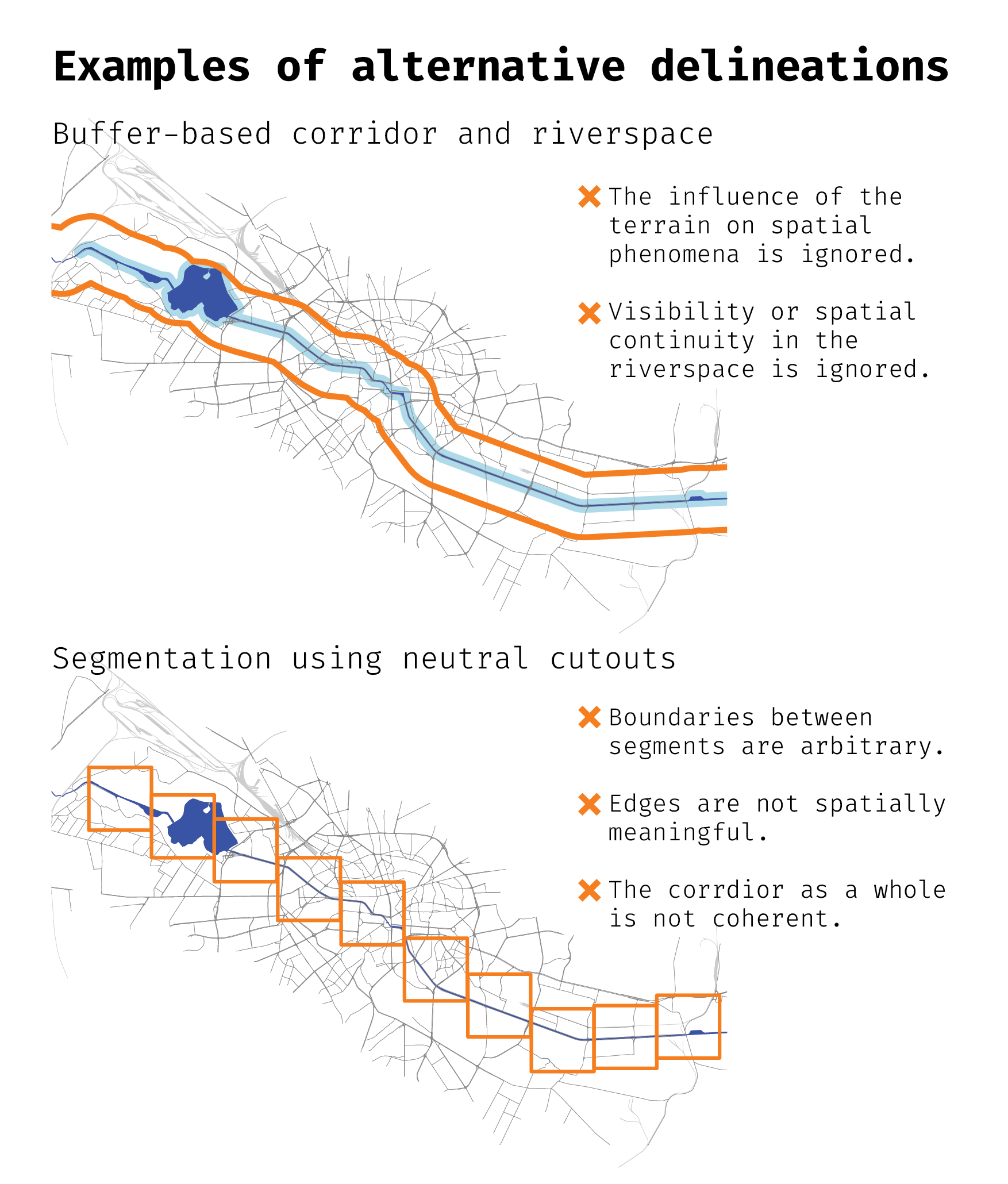
Riverside areas are often defined inconsistently or arbitrarily. Different approaches to defining corridor boundaries can produce substantially different results, each capturing different aspects of the urban environment while missing others. This inconsistency creates problems:
- Ambiguous local analyses: which area should be included when studying a specific riverside neighborhood or phenomenon?
- Unreliable comparative studies: without a consistent definition, comparing the same phenomenon across different cities becomes problematic.
- Subjective integrated analyses: when combining multiple data sources, the choice of boundaries can bias the results.
The figure below illustrates how alternative delineation approaches
can significantly differ. By contrast, rcrisp implements a
morphological delineation method that combines the natural terrain of
the river valley with the configuration of the urban fabric, providing
an objective and reproducible approach.
Workflow
The typical workflow consists of the following steps:
- Define parameters: Use
define_aoi()to set up parameters for a given location, defined by a city name and a river name. - Acquire base data: Use
get_osm()to retrieve OpenStreetMap layers (streets, railways, buildings) andget_dem()to download global elevation data. - Run delineation: Use the all-in-one
delineate()function to compute the river valley, corridor, segments, and/or river space; or use dedicateddelineate_*()functions for fine-grained control. - Visualize and validate: Use plotting and summary methods to examine the results.
- Export for downstream analysis: Export the delineations to GIS formats or use them directly in R-based analyses.
This workflow can be replicated for any city and river where sufficient OpenStreetMap and elevation data are available. The reproducibility of the morphological delineation method makes it suitable for both single-case local studies and comparative cross-case analyses.
Data considerations
- Use an appropriate projected CRS (e.g., a relevant UTM EPSG code).
- Verify OSM coverage and elevation availability for your area.
- Spatial (street and railway) network completeness and elevation data quality may affect corridor and segment accuracy.
- The
delineate_city_river()convenience function retrieves OSM data and global DEM data automatically, so no additional data retrieval is needed. - The
delineate_*()functions allow for any data input, not only OSM and global DEM data.
Example
library(rcrisp)

# Parameters
city_name <- "Bucharest"
river_name <- "Dâmbovița"

# Delineation
bd <- delineate_city_river(city_name, river_name, segments = TRUE)

# Plot
plot(bd$corridor)
plot(bd$railways$geometry, col = "darkgrey", add = TRUE, lwd = 0.5)
plot(bd$streets$geometry, add = TRUE)
plot(bd$segments, border = "orange", add = TRUE, lwd = 3)
plot(bd$corridor, border = "red", add = TRUE, lwd = 3)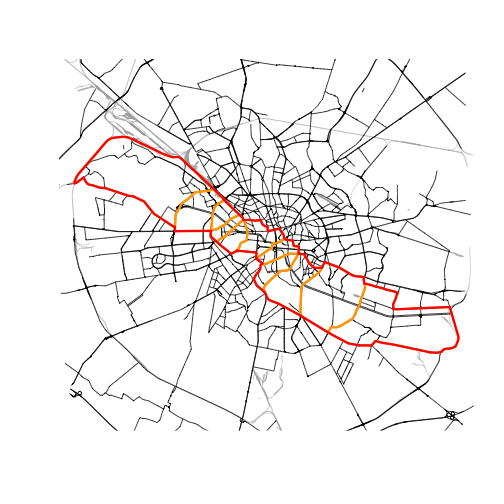
Interpretation and next steps
- Use the segments and/or river spaces for comparative analyses along the river; or
- Integrate relevant data layers within a segment and/or river space of interest; or
- Run the analysis on other cities to compare a phenomenon of interest across corridors, segments and/or river spaces;
- Export to GIS formats for further processing.